Amazon's 75-Character Title Limit: What Belongs in the New Item Highlights Field
 Jun 19, 2026
 On June 10, Amazon posted a quiet policy update to Seller Central: starting July 27, 2026, product titles in every category except media have to fit inside 75 characters, spaces included. A second field arrived with it, Item Highlights, holding 125 searchable characters that show beneath your title in search results and on the product page. Most sellers will read this as a formatting chore and move on. The ones who read the announcement closely have about six weeks to make a decision the rest will hand to an algorithm.
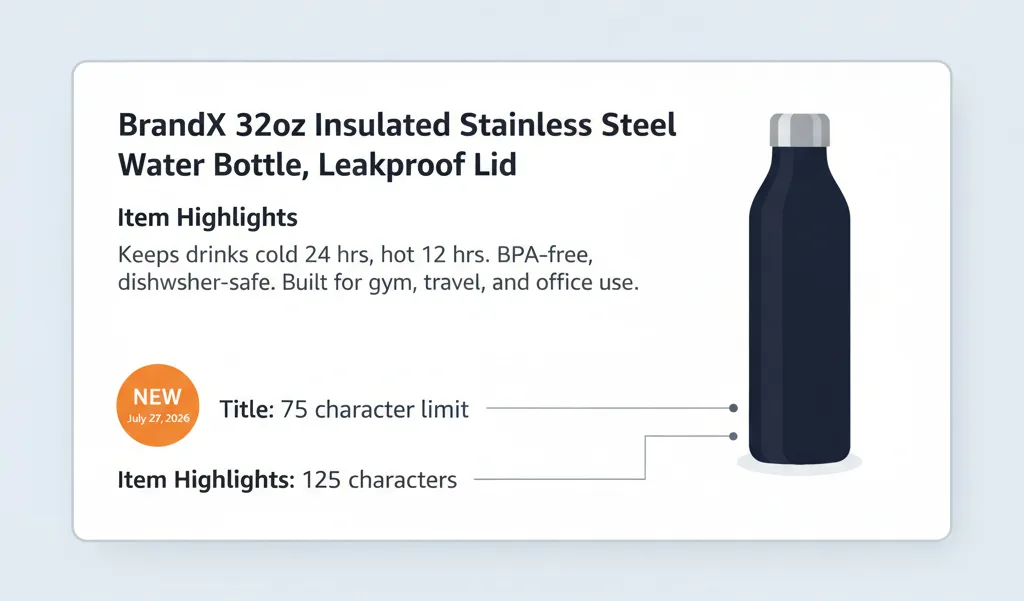
Starting July 27, 2026, Amazon caps product titles at 75 characters including spaces in every category except media, and adds a separate, searchable Item Highlights field with 125 characters that displays under your title in search results and on the product page. Any title still over the limit after that date gets rewritten by Amazon's AI on its own schedule, which means the keyword decision is either yours to make now or the algorithm's to make later. Trimming a title to 75 characters is mechanical work; deciding which keywords move to the 125 is the part that protects your rank.
Key Takeaways
-
The cap: 75 characters including spaces, all categories except media (books, music, video), effective July 27, 2026. Amazon posted it to Seller Central on June 10.
-
The new field: Item Highlights, 125 searchable characters, shown below the title in search results and on the product page. It is not your five bullet points. 75 plus 125 is 200 total indexable characters, reorganized into two jobs.
-
The catch most coverage misses: per Amazon's in-app field guidance, Item Highlights displays only once the item name is under 75 characters. You cannot use it to stash the overflow from a long title.
-
The default: leave a title over 75 and Amazon's AI rewrites it gradually. Brand-registered owners get a 14-day window in Review Listings Changes; access for sellers without Brand Registry is unconfirmed.
-
The risk: the title carries the most A9 ranking weight of any field. An automated cut optimizes for length, not for which of your keywords hold rank, and a general AI tool cannot see your search-term report.
-
The opportunity: a clean 75-character identity line plus a structured 125-character attribute field is the shape Amazon's AI readers, COSMO and Alexa for Shopping, parse most reliably.
What is Amazon's new 75-character title limit, and when does it take effect?
Starting July 27, 2026, Amazon requires product titles in every category except media to fit inside 75 characters, spaces included. Media is the only carve-out the announcement names: books, music, and video.
Amazon posted the update to Seller Central on June 10 under Policy and Compliance. Its stated reason is mobile display: a 75-character title stays fully visible on a phone, where most shoppers now browse. The announcement is precise on the number and quiet on the edges. It does not say how older per-category caps interact with the new 75, so treat 75 as the line until Amazon says otherwise.
How is Item Highlights different from your bullet points?
Item Highlights is a new, separate field with its own 125-character budget, and its content is searchable and shows beneath your title in search results and on the product page. Your five bullet points do neither.
That single property is what makes the field matter. Bullets live down the detail page and never appear in results. Item Highlights sits next to the title at the moment of discovery, which makes it a place shoppers and Amazon's AI both read, not a back room for whatever did not fit up top. Read it as a new discovery surface, not bullet overflow.
|
Field |
Budget |
Searchable? |
Where it shows |
|
Title |
75 chars (except media) |
Yes, highest A9 weight |
Search results and product page, full on mobile |
|
Item Highlights |
125 chars |
Yes, per Amazon |
Below the title in results and product page, only once the title is under 75 |
|
Bullet points |
5 bullets |
Indexed, lower weight |
Product detail section, not in search results |
|
Backend search terms |
~250 bytes |
Indexed, hidden |
Nowhere public |
What actually belongs in the 125 characters of Item Highlights?
Lead with what Amazon asked for, materials and recommended use cases, then work the keywords your title cut can no longer carry into that phrasing naturally. Do not rebuild a wall of keywords in the new field.
Use-case and audience language does double duty, because it is also what Amazon's AI surfaces reach for when they answer a shopper's question. One mechanical catch decides whether any of this shows: per Amazon's in-app field guidance, Item Highlights appears only once the item name is under 75 characters. Trim the title first, or the keywords you place here stay hidden.
Here is the split on a real shape. Take a 32oz insulated water bottle whose current title runs past 180 characters, stuffed with every phrase that ever converted. Under the new rule, the title becomes an identity line and the rest moves next door:
|
Field |
Content |
Characters |
|
Title |
BrandX 32oz Insulated Stainless Steel Water Bottle, Leakproof Lid |
65 |
|
Item Highlights |
Keeps drinks cold 24 hrs, hot 12 hrs. BPA-free, dishwasher-safe. Built for gym, travel, and office use. |
103 |
What does an unmanaged title cut cost you?
The title carries more A9 ranking weight than any other field, so cutting it from roughly 200 characters to 75 can drop keywords that are holding positions you cannot afford to lose. Amazon's automated rewrite optimizes for length and basic relevance, not for which of your terms carry rank.
Because the change rolls out gradually, you may not even watch it happen. Some of what gets cut was already invisible, since mobile results have shown only the first 75 characters or so for years. The real difficulty is telling the dead weight from the words actually earning rank, and you cannot manage what you have not measured.
If you are staring at a catalog of over-length titles and you are not sure which keywords are load-bearing, that is exactly what Amazify's Listing Intelligence audit measures before you cut a word.
Can ChatGPT or Claude do this for you?
Yes for the mechanical part, no for the decision that matters. A general model handles the 75/125 split well: trimming to the budget, swapping spelled-out numbers for numerals, abbreviating units, and drafting a clean Item Highlights line from your materials and use cases.
What it cannot see is your search-term report or your Brand Analytics data, so it has no way of knowing which of your keywords hold your organic rank. Every time it drops a word to hit 75 characters, it is guessing. On the listings that drive most of your sales, a wrong guess costs you positions you had no reason to surrender. Let the model write the draft. Make the keyword call yourself, from your own data.
Here is a prompt that produces the draft. Paste it into ChatGPT or Claude, fill in the brackets, and it returns a 75-character title, a 125-character Item Highlights line, the character counts, and a list of every keyword it dropped so you can judge what is too important to lose.
|
|
Why does this change favor structured listings for Amazon's AI?
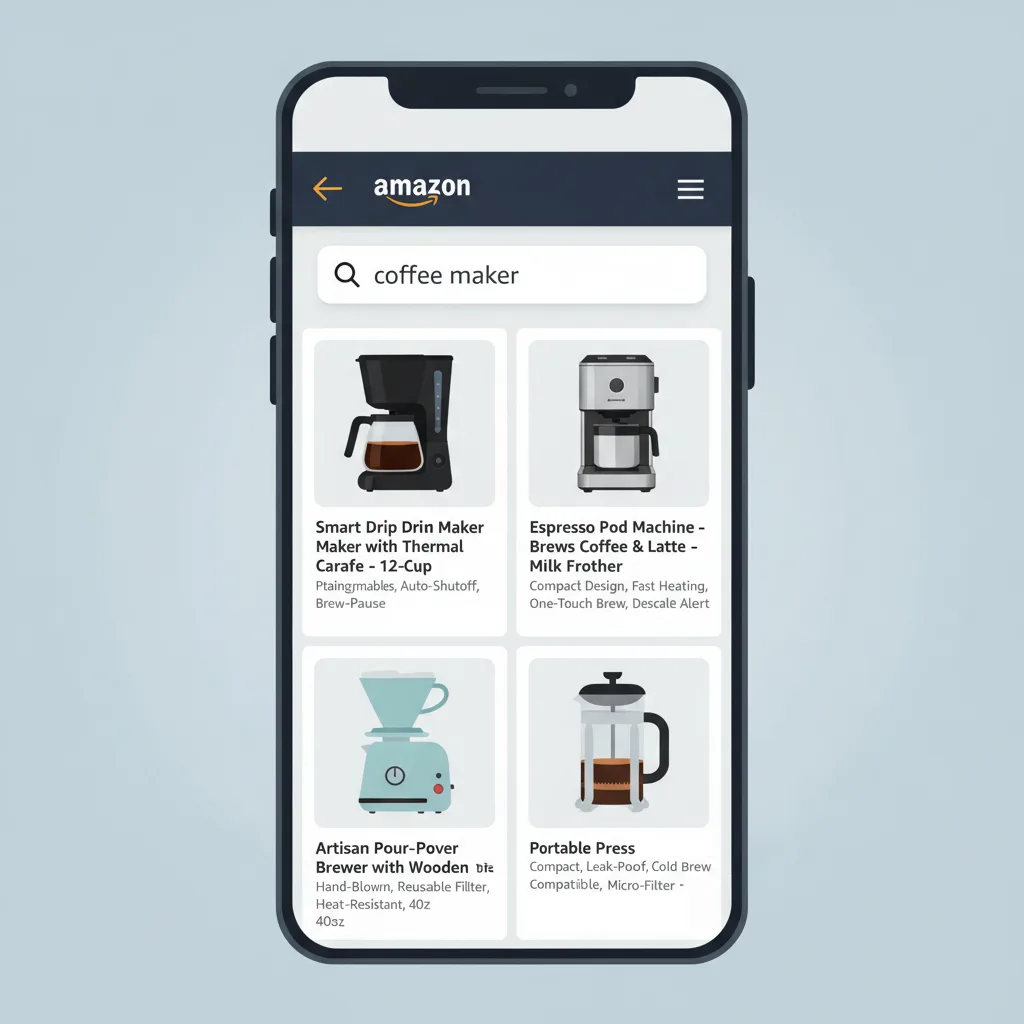
A 75-character identity line plus a separate, labeled attribute field is easier for a machine to parse than a 200-character keyword string, and that structure is exactly what Amazon's newer AI readers want. Identity sits in one place, attributes in another, with no word salad to untangle.
Two of those readers have names. COSMO, Amazon's knowledge graph, reads listings as relationships between products, uses, and buyers, and a structured field hands it that directly. Alexa for Shopping, the AI shopping surface that Rufus ran before the May 13 rebrand, pulls from the same listing to answer shoppers who ask rather than scroll. Amazon's own listing generator already runs across more than 900,000 sellers with a 90% acceptance rate, so catalog-wide structuring is the direction, not a side experiment.
What is still unknown about Item Highlights?
Three things are not yet documented, and any advice that glosses over them is guessing. Amazon has not published how heavily Item Highlights is weighted for ranking, so no one can promise the 125 characters fully replace what the title lost.
Two more open edges: the announcement does not confirm whether sellers without Brand Registry get the same 14-day preview, and the field appears to be on-screen-only for now, with one seller's flat-file attempt returning the error 100476, This attribute Item Highlight is currently unsupported. Amazon has not confirmed bulk or API support either way. Plan the field listing by listing until it does.
Your pre-July 27 action checklist
-
Pull every title over 75 characters. In Manage All Inventory, edit a listing and click View enhancements to see Amazon's recommended title and Item Highlights.
-
Prioritize by traffic. Rewrite high-traffic, rank-carrying listings by hand first, and let low-stakes listings ride until the rewrite reaches them.
-
Check your search-term report before cutting. Identify which keywords actually convert and protect those inside the 75.
-
Write the title as an identity line: brand, core product noun, and the single most important differentiator.
-
Move displaced keywords into Item Highlights as materials and use cases, written like a human, not a keyword wall.
-
Confirm the title is under 75 characters so Item Highlights will display.
-
If you are a brand owner, calendar the 14-day Review Listings Changes window so no automated cut goes live unwatched.
-
Re-check anything you cut against rank after the change, since a non-compliant automated rewrite becomes your liability.
The title is an identity field now, not a keyword shelf. The keyword decision moved to the 125 characters next door, and it stays yours only until July 27.
Frequently Asked Questions
July 27, 2026. The limit applies to every product category except media (books, music, video) and counts spaces. Amazon posted the update to Seller Central on June 10, with a 14-day review window for brand owners once the AI proposes changes.
No. Item Highlights is a new, separate field with its own 125-character budget for materials and use cases. Its content is searchable and appears beneath your title in search results, not just on the detail page the way bullets do.
No. Per Amazon's in-app field guidance, the content appears only once the item name is under 75 characters. You cannot use Item Highlights to hold the overflow from a long title, so trim the title first.
Amazon's AI gradually rewrites titles still over 75 characters to its own recommendation. Your listing stays active throughout, and you can edit titles and Item Highlights at any time. Brand owners get 14 days to review before a change goes live.
You are. Amazon judges the text on the listing, not who typed it, so a claim or policy violation introduced by an automated rewrite is still yours to fix. Review the AI's version before it goes live.
Yes for the mechanical part: fitting 75 characters, switching to numerals, abbreviating units, and drafting the 125-character Item Highlights line. What it cannot do is see which of your keywords hold your search rank, because it has no access to your search-term or Brand Analytics data. Use it for the draft, then make the keyword call from your own data.
Ready to stop leaving money on the table?
Get a free margin audit and see exactly how much profit you're missing.
Book Your Free Audit →