Amazon Sponsored Prompts: How the Alexa for Shopping Ad Format Works in 2026
 Jun 12, 2026
 Amazon turned on a new ad placement and enrolled most sellers automatically. It lives inside Alexa for Shopping, the assistant Amazon renamed from Rufus on May 13, 2026, and it spends from the same Sponsored Products and Sponsored Brands budgets you already run. If you advertise on Amazon, you are almost certainly already in it. This piece covers what Sponsored Prompts are, how they bill, where they sit in your funnel, and how to manage them.
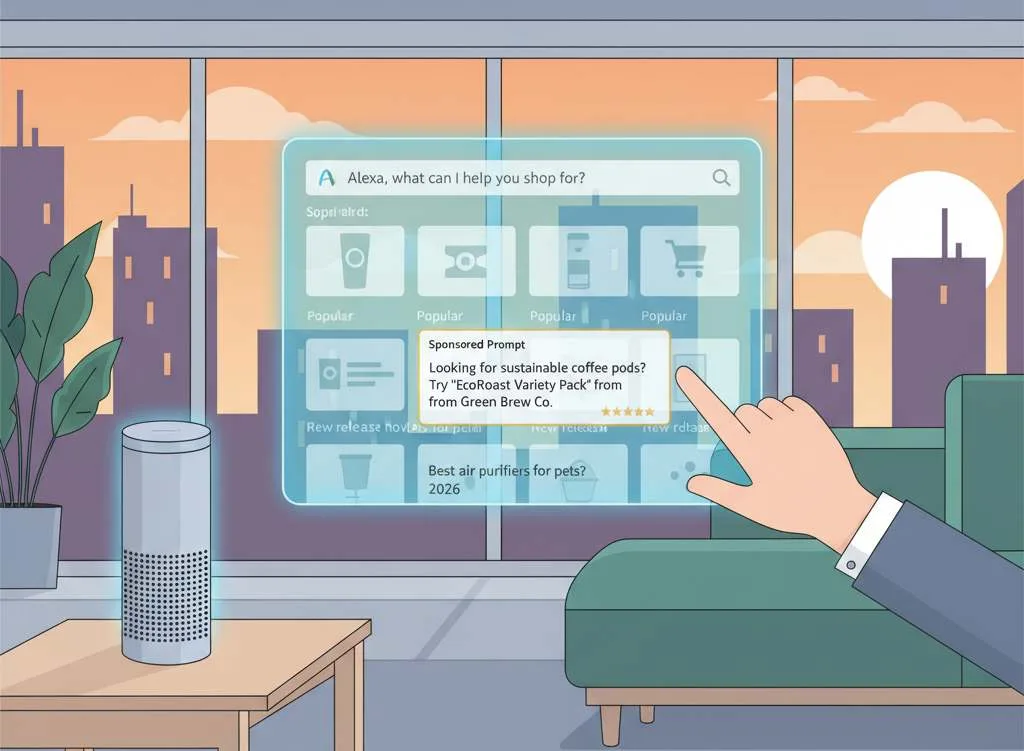
Amazon Sponsored Prompts are AI-generated suggested questions placed inside Alexa for Shopping, written by Amazon from your existing Sponsored Products and Sponsored Brands campaigns. They reached U.S. general availability on March 25, 2026 and now bill per click under your current CPC bids, with no separate setup or budget, per Amazon's launch announcement for Sponsored Products and Sponsored Brands prompts. Eligible campaigns were auto-enrolled, so the practical question is not whether to run them but how to manage and measure them.
Key Takeaways
-
Sponsored Prompts are an AI-powered extension of existing Sponsored Products and Sponsored Brands campaigns, and eligible campaigns were auto-enrolled with no extra setup.
-
The format moved from open beta in November 2025 to U.S. general availability on March 25, 2026, when clicks began billing under your existing CPC bids and budgets.
-
Amazon writes the prompt copy itself from first-party signals: your detail pages, Brand Store, and campaign data, among other inputs. You cannot author the exact wording.
-
Enrollment is automatic and removal is manual: you can pause any individual prompt in the Ad Console, but you cannot bid on prompts separately from the parent campaign.
-
A dedicated Prompts report exposes prompt-level impressions, clicks, CTR, CPC, spend, sales, ACOS, ROAS, and 7-day orders and units.
-
Because Amazon generates the prompt from your listing, listing depth is now an advertising input, not only an organic ranking factor.
What are Amazon Sponsored Prompts?
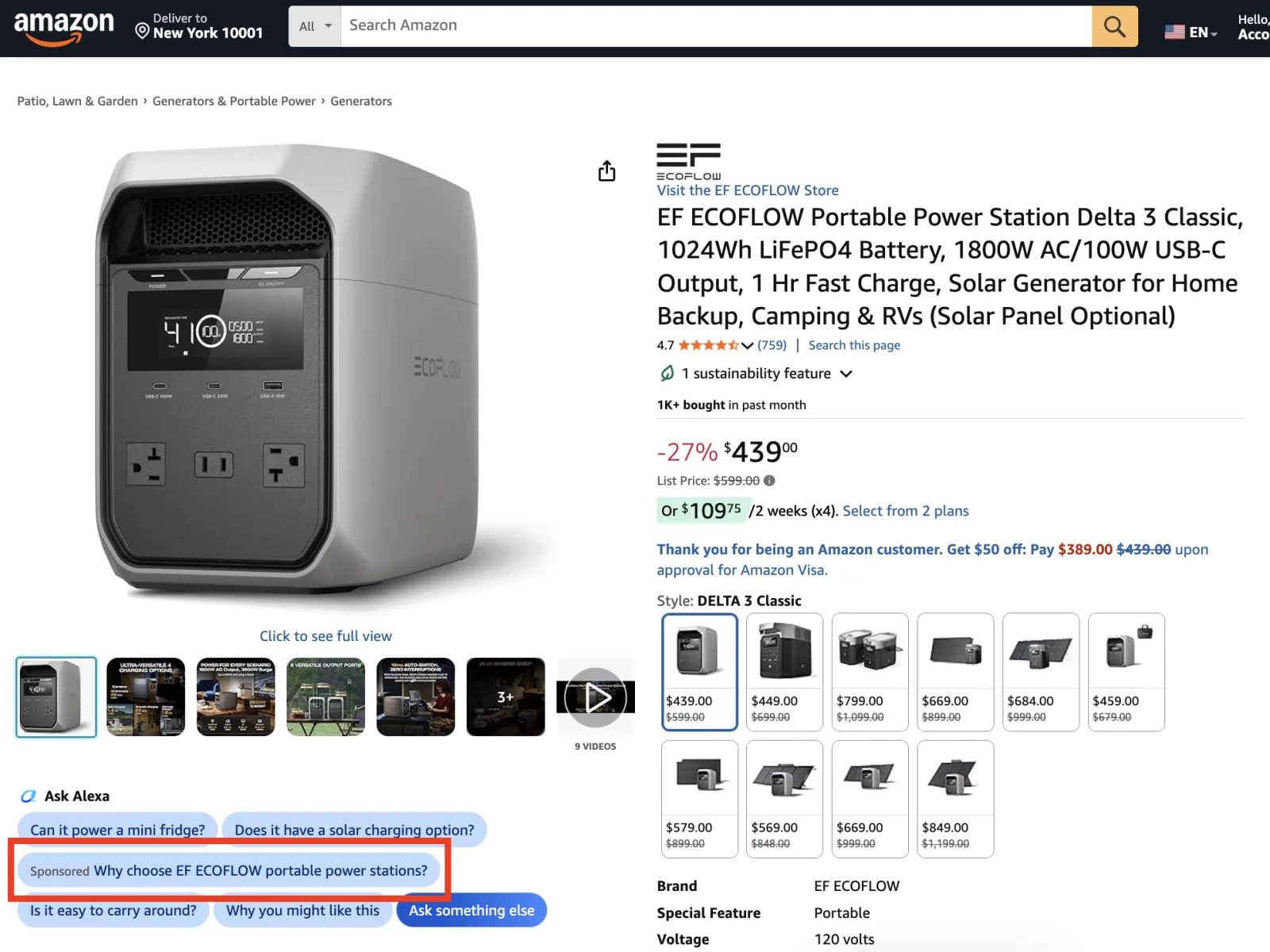
Sponsored Prompts are suggested questions that appear inside Alexa for Shopping and on product detail pages, marked with a Sponsored label, that tie a shopper's question to a specific advertised product. Amazon generates them automatically from your campaigns rather than from copy you write, per Amazon's launch announcement.
On a detail page you have likely seen a row of “Customers ask” style questions. A Sponsored Prompt sits in that pattern but points at an advertised product, and tapping it opens a conversation with the assistant pre-loaded with that product's context. The shopper experiences a question; the advertiser experiences a new placement drawn from a campaign that already exists.
How do Sponsored Prompts work inside Alexa for Shopping?
Amazon assembles each prompt from your first-party signals and serves it where shoppers are deciding. Prompts draw on your detail pages, Brand Store, and campaign data, can appear in shopping results and on product detail pages, and may open a dialog in the assistant or answer directly on the page when clicked.
Eligible Sponsored Products and Sponsored Brands campaigns are enrolled automatically and use your existing campaign parameters, so there is nothing to build. The trade-off is authorship. Amazon writes the recommendation copy, and you influence it only through your listing content and by pausing prompts you do not want, not by editing the text.
How much do Sponsored Prompts cost, and when did billing start?
Sponsored Prompts bill per click under your existing CPC bids, and U.S. billing began at general availability on March 25, 2026. There is no premium rate and no separate budget; a prompt click draws from the same campaign budget as any other click.
The cost mechanics are inherited, which keeps them simple. If your Sponsored Products campaign already averages a $1.20 CPC, a click on a prompt tied to that campaign costs that same $1.20 and draws from the same daily budget. The $1.20 is illustrative; prompts carry no separate rate card. What changed at general availability is that these clicks are now chargeable rather than free, so spend that did not exist during the beta now lands inside your current campaigns.
Where do Sponsored Prompts fit in your advertising funnel?
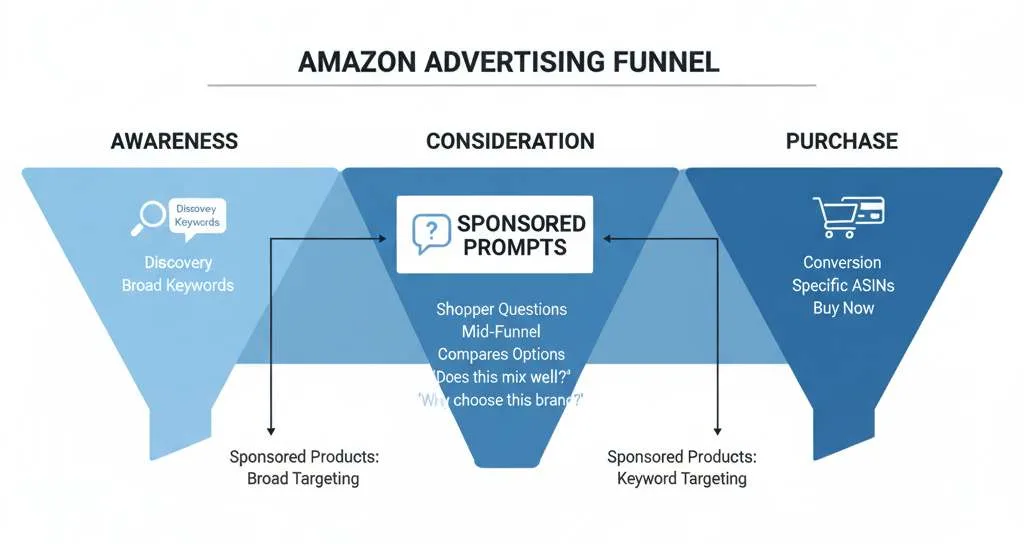
Sponsored Prompts sit at the consideration stage, where a shopper is asking questions rather than typing a single keyword. That makes them a mid-funnel complement to keyword-targeted Sponsored Products, not a replacement for top-of-search bidding.
A keyword ad answers “protein powder.” A prompt answers “does this mix well with water” or “why choose this brand,” which is a shopper already weighing a specific product. Engagement on these question placements has tracked closer to top-of-search than to standard search results, per early agency analysis, because the click signals a buyer mid-decision rather than mid-browse. Conversion can run lower than top-of-search in the same analysis, which fits the consideration-stage role: treat prompts as the layer that catches the questions your keyword campaigns never see, not as a bottom-funnel closer.
How do you control and measure Sponsored Prompts?
You manage prompts in the Ad Console and measure them in a dedicated Prompts report. You can pause any individual prompt, but you cannot rewrite it or bid on it separately.
Inside each campaign, prompts appear under Campaign, then Ad Group, then Ads, then a Prompts tab, listing every prompt that has received a click alongside its metrics. The standalone Prompts report (Reports, then Create report, then Sponsored Products, then Prompts) returns prompt text, the associated ad, impressions, clicks, CTR, CPC, spend, sales, ACOS, ROAS, and 7-day orders and units. That is your control surface: review the questions Amazon is generating, and pause the ones that misrepresent the product.
How Sponsored Prompts differ from standard sponsored placements:
|
Dimension |
Standard Sponsored Products / Brands |
Sponsored Prompts |
|
What you target |
Keywords or product targets |
Amazon-generated questions (not directly targetable) |
|
Who writes the copy |
You (creative and listing) |
Amazon (from your first-party signals) |
|
Where it shows |
Search results and detail pages |
Shopping results, detail pages, and inside Alexa for Shopping |
|
Setup |
You build the campaign |
Auto-enrolled, no extra setup |
|
Bidding |
Per-keyword or per-target bids |
Inherits the parent campaign CPC; not separately biddable |
|
Control |
Full creative and bid control |
Pause only; you cannot edit the prompt text |
|
Reporting |
Standard campaign reports |
Dedicated Prompts report with prompt-level metrics |
|
U.S. billing |
Ongoing |
Chargeable from GA on March 25, 2026 (free during beta) |
Will Sponsored Prompts hurt or help my existing ad performance?
They add a new place for your existing budget to spend, so expect your blended ACoS and TACoS baselines to move in the first weeks, not because performance changed but because the surface did. Plan for the movement, and avoid major campaign decisions until the pattern settles.
Because prompts spend from current budgets, a sudden shift in cost-per-click or order mix may reflect the new placement rather than a real efficiency change. The practical guardrail is to set a clean baseline now, hold campaign structure steady for 30 to 60 days, and read prompt performance in the Prompts report before reallocating. Brands that react to the first week of blended numbers risk optimizing against noise.
What should Amazon sellers do about Sponsored Prompts now?
Start by reading what Amazon is already generating for you, then improve the source material it draws from. Since prompts are written from your listing and Brand Store, the fastest lever on prompt quality is listing depth, not bid strategy.
Pull the Prompts report, review every surfaced question against what your detail page actually claims, and pause anything inaccurate. Then look upstream: lead bullets with the specific feature and benefit, complete your attributes, and keep review themes current. That listing content is the raw material Amazon turns into prompts. Bid management still matters, but with prompts the listing is the input that decides what the ad says.
"If you want a second set of eyes on the prompts your campaigns are generating, our PPC Intelligence team audits prompt accuracy against listing claims as part of a standard review." Stefano Bettani, Head of Operations, Amazify
Action Checklist
-
Open the Prompts tab in each Sponsored Products and Sponsored Brands campaign (Campaign, Ad Group, Ads, Prompts).
-
Run the Prompts report (Reports, Create report, Sponsored Products, Prompts) and export the last 30 days.
-
Read every surfaced prompt against your detail page claims; flag any that overstate or misrepresent the product.
-
Pause prompts that pull from weak or outdated review themes or that misstate the product.
-
Audit your detail page and Brand Store, since Amazon writes prompts from them.
-
Strengthen lead bullets, attributes, and A+ Content so the source material generates stronger prompts.
-
Set an ACoS and TACoS baseline now and hold campaign structure steady for 30 to 60 days.
-
Re-check prompt performance weekly through the first month after enrollment.
Your detail page is an advertising asset now, not just a search asset.
Frequently Asked Questions
They are AI-generated suggested questions, marked Sponsored, that Amazon places inside Alexa for Shopping and on product detail pages to connect a shopper's question to an advertised product. Amazon builds them from your existing Sponsored Products and Sponsored Brands campaigns.
They bill per click at the same CPC as the parent campaign, with no separate rate or budget. U.S. clicks became chargeable when the format reached general availability on March 25, 2026; during the prior beta they were free.
Yes, at the prompt level. You can pause any individual prompt in the Ad Console at any time, which is the control Amazon documents. You cannot edit a prompt's wording, and Amazon's announcement describes pausing prompts individually rather than a single on/off switch for the format.
No. Amazon generates the prompt copy from your detail pages, Brand Store, and campaign data, among other inputs. Your influence is indirect: improve the listing content, and pause prompts you do not want running.
In shopping results and on product detail pages. When clicked, a prompt may open a dialog inside Alexa for Shopping or answer the shopper directly on the page where it appeared.
No. Amazon renamed the assistant from Rufus to Alexa for Shopping in the U.S. on May 13, 2026, but the ad format kept its name and mechanics. Sponsored Products prompts and Sponsored Brands prompts work the same regardless of the assistant's branding.
Ready to stop leaving money on the table?
Get a free margin audit and see exactly how much profit you're missing.
Book Your Free Audit →