How to Use AI to Generate Amazon Listings Without Producing the Same Listing as Every Other Amazon Seller
 May 29, 2026
 Amazon's generative AI listing tools now generate more than 70% of required product attributes in the Amazon store, by Amazon's own count. The same Amazon-reported data says sellers using these tools see a 40% increase in overall listing quality. Both figures are single-source Amazon internal data, not independently audited, but at a directional level the practical implication is clear. The bar for an acceptable Amazon listing is now whatever Amazon's own AI produces from a URL, an image, or a spreadsheet. That bar is the floor. The question every Amazon brand has to answer in 2026 is what their listing does on top of it.
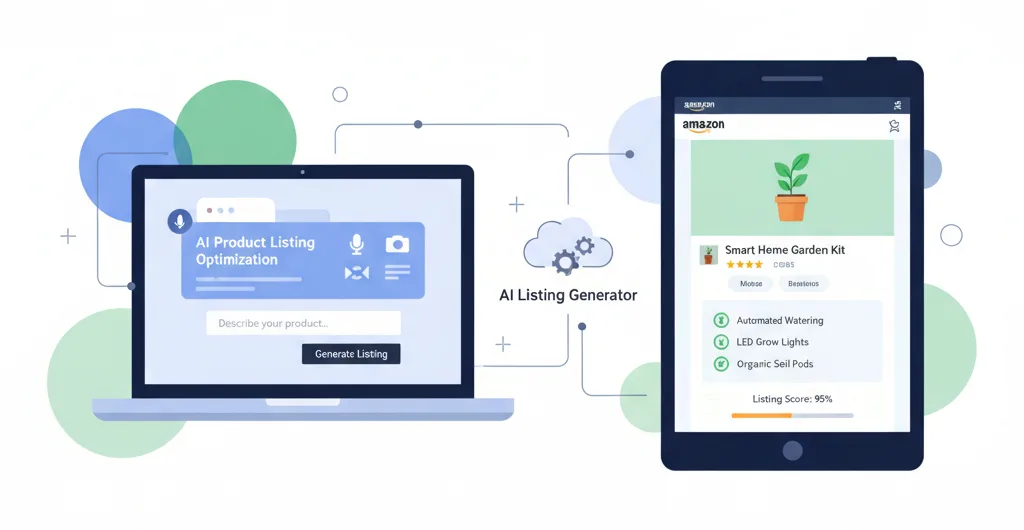
Quick answer: what is Amazon's AI listing toolkit, and what does it actually do for sellers?
Amazon offers two main generative AI workflows: Add Products (image-to-listing, URL-to-listing, spreadsheet bulk) and the A+ Content Manager (text and image generation inside AI-Ready modules). Both run on Amazon Bedrock and produce competent baseline listings fast. The strategic gap they leave open is operator-specific differentiation: decision-stage answer coverage, review-derived use cases, mobile-first composition, and alignment with how Rufus's successor Alexa for Shopping and the Hear the Highlights audio surface interpret listing content. Amazon's AI gets you to the median. Outperforming it is still your work.
Key Takeaways
-
Amazon's native AI listing tools (Add Products and A+ Content Manager, powered by Amazon Bedrock) now generate the baseline listing for most categories. Amazon reports AI generates 70%+ of required product attributes and lifts overall listing quality 40%. Both figures are Amazon internal data, not independently audited.
-
In March 2026, Amazon added Dynamic Canvas to Seller Central and expanded Enhance My Listing. Both are post-Nov-2025 additions the Amazon tutorial does not cover.
-
AI generation is now a competitive baseline, not an edge. Every brand using only Amazon's tools produces a listing that looks structurally similar to every other brand's Amazon-tool-generated listing.
-
Differentiation in 2026 lives in the operator layer: decision-stage question coverage, review-derived attribute capture, mobile-first composition, and alignment with how Alexa for Shopping and Hear the Highlights audio consume listing content.
-
Amazon's AI handles titles, bullets, descriptions, A+ text, and images. Text generation has its own gaps, especially in answering buyer questions that don't appear in the spec sheet. Brand Store remains largely manual and is the widest differentiation opportunity.
What does Amazon's native AI listing toolkit actually include in May 2026?
Amazon's November 2025 tutorial on AI listing creation walks through two main workflows. The Add Products page generates listings from a description, image, URL, or spreadsheet. The A+ Content Manager generates text and images inside AI-Ready modules, with the option to pull insights from top-performing products in the same category. Both run on Amazon Bedrock.
Since that tutorial published, two material additions changed the toolkit. In March 2026, Amazon launched Dynamic Canvas inside Seller Central, an AI-powered visual workspace tied to Seller Assistant that generates personalized dashboards in response to prompts. The same month, Amazon expanded Enhance My Listing, which analyzes existing listings and suggests improvements (keyword additions, bullet rewrites, description enhancements). Where Add Products generates from scratch, Enhance My Listing operates on listings already in your catalog. The combined stack means a seller in 2026 can build, regenerate, enhance, and visualize listings without leaving Seller Central, and without paying a third-party tool.
What are Amazon's AI tools good at, and where do they hit the ceiling?
By asset type, drawn from how the tools actually behave in production:
Titles and bullets are where Amazon's AI performs strongest. The tools generate compliant titles with brand, category descriptor, and high-frequency attributes, plus five well-formatted bullets that hit the feature-benefit pairs implied by the product details. The ceiling is decision-stage question coverage. The questions buyers actually use to stress-test products (is it good for pet owners, does it work with essential oils, is it easy to clean, all real examples from Amazon's own Join the chat launch) live in reviews and customer service tickets, not in the spec sheet the AI starts from. Brands that pull review-derived answers into titles and bullets outperform Amazon-AI-default output on Alexa for Shopping and other AI surfaces.
Descriptions and A+ Content text are serviceable but generic. Amazon's AI produces neutral-voice descriptions and structurally clean A+ headlines, with the genuinely useful option to pull insights from category top performers. The ceiling is brand voice and FAQ-style structure. Premium positioning, contrarian framing, and the decision-stage Q&A modules that perform best for AI shopping assistants all require deliberate construction. Amazon's default AI does not build them automatically.
Images and Brand Store are the widest differentiation gaps. Image generation is its own tool stack with its own operator considerations, which we've covered in our framework for AI image generation on Amazon listings. Brand Store is the asset Amazon's AI extends into least: still largely a manual configuration of tiles, modules, and sub-pages. Both are where the gap between Amazon-default and operator-optimized output is widest, and both are where brands willing to invest see the most measurable return.
What does a layered AI listing workflow look like in 2026?
The most practical workflow for a mid-market brand combines Amazon's native AI as the baseline generation layer with an operator review pass for the assets that drive differentiation. Five steps:
-
Generate the baseline. Use Add Products AI to produce the initial title, bullets, description, and back-end attributes. Treat the output as a starting draft, not a final listing.
-
Audit against decision-stage questions. Pull the top 5 to 10 questions buyers actually ask about the product (Amazon Q&A, customer service tickets, review themes, competitor Q&A). Check whether each has a clear declarative answer in the AI-generated draft. The unanswered ones go into the listing copy.
-
Layer in brand voice and category positioning. Rewrite the description and key bullets in the brand's actual voice. Add the use-case angles the buyer is searching for, not just the generic feature-benefit pairs.
-
Build A+ Content with FAQ structure. Use Amazon's AI-Ready modules for image generation and headline drafts, then construct at least one module addressing the 5 most common decision-stage questions in declarative answer form.
-
Verify through AI surfaces. Test the listing against Alexa for Shopping (text and voice) and the Hear the Highlights audio summary if available. The questions buyers ask in those surfaces reveal what your listing still fails to answer.
If you want a structured assessment of where your top SKUs sit between the Amazon-default baseline and the layered operator output, Amazify's AI listing workflow audit covers the full coverage gap. Get in touch through our Listing Intelligence service.
"Amazon's AI is the floor every Amazon listing now stands on. We've stopped measuring listing quality by whether AI was used or not, because AI is now used in almost every listing we audit. The question we ask instead is what the listing does on top of the Amazon-AI baseline. The brands that win in 2026 are the ones with a clear answer to that question." Laura, Marketing Evolution Analyst
What questions should you stress-test your AI-generated listing against?
The single highest-leverage check on any AI-generated Amazon listing is whether it answers the questions buyers actually ask before they buy. Five categories that consistently fail in Amazon-AI-default output:
-
Use-case fit: is this good for the specific scenario the spec sheet doesn't name?
-
Compatibility: does it work with the buyer's existing ecosystem or adjacent products?
-
Care and maintenance: dishwasher safe, hand-wash only, replacement parts available?
-
Comparison: how does this stack against the obvious category alternative?
-
Risk and reversibility: return policy, warranty, what happens if it doesn't fit?
Run any AI-generated listing draft through these five categories before you publish. The gaps are the differentiation.
What are the limits of reading Amazon's own tutorial?
Two constraints worth flagging. First, the Amazon tutorial is dated November 3, 2025. Since then, Amazon launched Dynamic Canvas (March 3, 2026), expanded Enhance My Listing (March 2026), and consolidated AI shopping under Alexa for Shopping (May 13, 2026, retiring the Rufus brand). Any AI listing workflow built on the November 2025 tutorial alone is now incomplete on three counts. A fourth item worth noting separately: Amazon's updated Business Solutions Agreement introduced an Agent Policy effective March 4, 2026. The policy does not affect Amazon's own native AI tools (Add Products, A+ Content Manager, Enhance My Listing). It does affect any third-party AI agents you layer on top, which now have formal requirements for how they access Seller Central. If your AI listing workflow includes anything beyond Amazon's native tools, the Agent Policy is now part of the compliance picture.
Second, the two performance numbers Amazon cites (70% of attributes generated by AI, 40% increase in listing quality) are both Amazon internal data. No independent measurement. The figures may be directionally accurate, but treat them as Amazon-reported, not third-party validated benchmarks.
Action Checklist for Amazon Sellers
-
Locate Add Products AI, A+ Content Manager AI-Ready modules, Enhance My Listing, and Dynamic Canvas in Seller Central. Confirm you've used each.
-
Run your top 5 best-selling SKUs through Enhance My Listing. Read the recommended changes Amazon proposes.
-
For each SKU, pull the 5 to 10 most-asked buyer questions (Amazon Q&A, customer service tickets, review themes). Mark which your current listing answers clearly.
-
Move the 3 highest-frequency unanswered questions from reviews into the title, bullets, or first A+ Content module.
-
Audit A+ Content for FAQ-style modules. If none address 5 decision-stage questions in declarative form, build one.
-
Verify your Brand Store has at least one element the AI-generated product pages don't (category storytelling, cross-product navigation, or brand-specific conversion paths).
-
Set a 90-day cadence to re-audit listing answer coverage as new buyer questions emerge.
Generative AI made the bad listings less bad. It did not make the good listings any better. That's still your work.
Frequently Asked Questions
Amazon's tools are powered by Amazon Bedrock and operate inside Seller Central. Add Products generates new listings from an image, URL, brief description, or spreadsheet. Enhance My Listing operates on listings already in your catalog. A+ Content Manager generates text and images inside AI-Ready modules. All four produce drafts you review and edit before publishing.
Neither is strictly better. Amazon's AI is purpose-built for the listing format and category requirements, which helps with compliance. ChatGPT and Claude give you more control over voice and category-specific framing, but require you to know Amazon's listing conventions. The practical answer for most brands: Amazon's AI for the baseline, a foundation model with a structured prompt for the differentiation layer.
Wrong frame. Almost every new listing in Amazon's catalog has AI in the workflow somewhere. The honest comparison is Amazon-AI-default vs. operator-layered AI workflow. Layered workflows consistently outperform Amazon-AI-default listings on the AI surfaces.
Start with Enhance My Listing on your top-revenue SKUs. Read the suggested changes, then decide whether they cover the gaps you know exist. If suggestions feel generic, treat them as a starting point and add the operator layer manually. If your existing listing is materially broken (suppressed, missing attributes, mismatched category), rewrite from scratch using Add Products.
Start with a single SKU and run the five-step layered workflow above end to end. Generate the baseline, audit against decision-stage questions from reviews, layer in brand voice, build one FAQ-style A+ module, and verify how the listing reads through Alexa for Shopping. That one SKU tells you what to apply across the catalog.
Ready to stop leaving money on the table?
Get a free margin audit and see exactly how much profit you're missing.
Book Your Free Audit →